
How To Use
- Home
- >
- How To Use
How To Use
We care about your entertainment needs and have made every effort to provide you with infinite entertainment at a low cost.
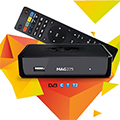
Dream Link Box
- Go to MY TV ONLINE app
- Then go to ADD PORTAL and add URL
- Then share mac address
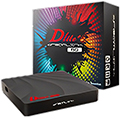
MAG Box
- Go to settings in your box
- Then go to SERVER
- Then go to PORTAL and add URL in PORTAL URL
- Then save and share mac address
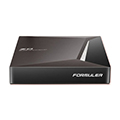
Formular Box
- Click on GO.
- Install STB EMU Pro.
- Then Click on Configure application.
- Go to profile.
- Hit ok on new profile.
- Hit ok on portal settings.
- Hit ok on portal URL.
- Delete the existing URL and type there
- Click on Next then OK.
- Go back Once and hit ok on STB configuration.
- Share the MAC address 00:1A:79:xx:xx:xx to get the services activated.
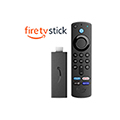
Fire Stick
- Click on GO.
- Install STB EMU Pro.
- Then Click on Configure application.
- Go to profile.
- Hit ok on new profile.
- Hit ok on portal settings.
- Hit ok on portal URL.
- Delete the existing URL and type there
- Click on Next then OK.
- Go back Once and hit ok on STB configuration.
- Share the MAC address 00:1a:79:xx:xx:xx to get the services activated.
SMART STB For Smart TV
- Download and purchase the smart STB app from your app store
- Then open and share mac address with your provider
- Then go to Smart STB app settings
- Then go to Portal
- Scroll down select USED PORTAL
- Scroll down on the bottom side there will be a URL select that and put the URL
- After that scroll up and go to DEFAULT PORTAL. It will be selected already by EMBEDDED PORTAL so press right key and make it PORTAL 1
STB EMU Pro For Android TV
- Click on GO.
- Install STB EMU Pro.
- Then Click on Configure application.
- Go to profile.
- Hit ok on new profile.
- Hit ok on portal settings.
- Hit ok on portal URL.
- Delete the existing URL and type there
- Click on Next then OK.
- Go back Once and hit ok on STB configuration.
- Share the MAC address 00:1a:79:xx:xx:xx to get the services activated.